MemoryMark
MemoryMark 1.00 was a super simple iOS app I wrote for friend / coworker named Joe back in 2012. The concept was to add a Bible verse to an image and build a wallpaper that Joe could view when using his phone to help memorize the verse. There have been no updates to MemoryMark since 2013 when it was released.
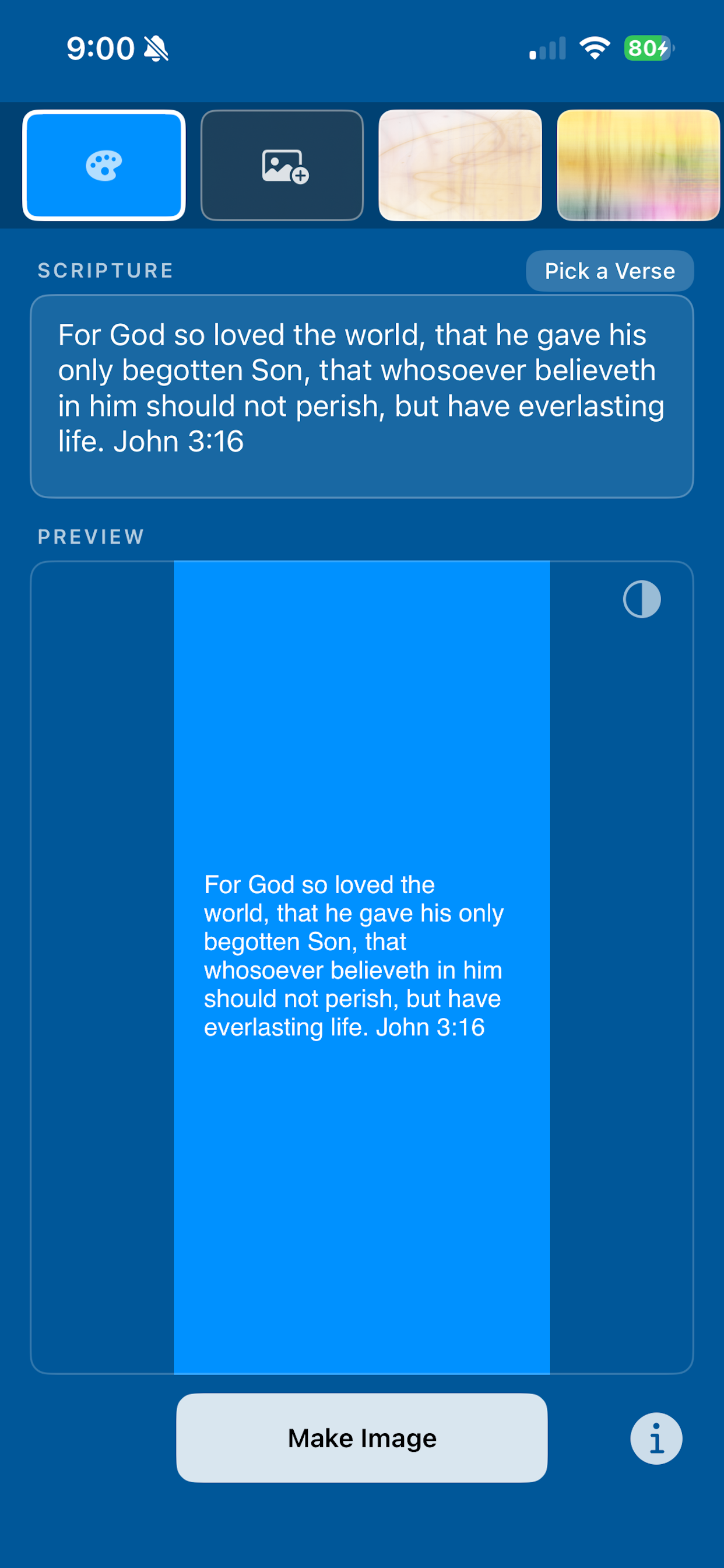
Fastforward to 2026, MemoryMark 1.02 is coming! Rewritten in modern Swift with new features, but with the same simple goal - make an image with a Bible verse you select, or input, and output it as a wallpaper!
What it does
- Pick a background image — user selects a photo from their Camera Roll (or a built-in default blue background loads automatically)
- Enter scripture text — a text view lets the user type (or edit) any scripture passage; the
last-used text is saved and reloads on next launch - Generate the image — tapping “Make Image” composites the text onto the photo using
CoreGraphics/CoreText, rendering white Helvetica text in the “safe zone” between the lock screen
clock and the home button area - Save to Camera Roll — the finished image is saved to Photos, ready to be set as a lock screen or home screen wallpaper
Features in the Swift Rewrite
Backgrounds
- Color picker — solid color background
- Photo picker — pick any image from your library
- 3 bundled thumbnails / images from version 1.0
Scripture Text
- Typed/pasted input — text view with placeholder
- “Pick a Verse” button — sheet picker browses 45 KJV verses
- Double-tap to select all text in the view for quick replacement
- Last-used text saved and reloaded on next launch
Image Rendering
- Auto-scaling font to fit the verse to the available text zone
- Auto-contrasting text color — samples average luminance of the text zone and picks black or white automatically
- Invert text color toggle to flip the auto-selected color when the automatic choice isn’t to your liking
- Lock screen safe zone — text placed in the 38–62% vertical band, avoiding the clock/widgets at top and buttons at bottom
- Live Preview
Help Screen
- “How To” sheet — 4-step card-based instructions
View the privacy policy for MemoryMark.
Get it on the